

Check what your mobile plan already includes before buying holiday data. EU roaming for UK travellers depends on the exact tariff, destination and conditions attached to each phone—not simply the network’s name.
You might already have enough included. Or several family members could trigger separate daily charges. Meanwhile, the transfer ticket, accommodation instructions and map may all be on a phone that has not connected after landing.
I would sort those details at home: check the tariff, prepare the settings and save the essentials.
Last updated: 30 October 2026. Worked-example prices are illustrative, not current offers. Euro equivalents assume £1 = €1.15 solely for comparison.
EU roaming for UK travellers: check the existing plan
1. Read the tariff for each phone
Open the account or provider app for every travelling phone. Find the exact tariff and check:
- Destination coverage and available data.
- Included calls and texts.
- Daily charges or pass requirements.
- What triggers a charge and how the charging period works.
- What happens when the allowance runs out.
- Restrictions on extended use abroad.
Save the conditions applying to your account. A friend’s plan on the same network is not proof of your entitlement.
2. Check every destination and connection
Use the provider’s destination checker for each country or territory, including stopovers. Check ferry, cruise and aircraft services separately rather than assuming a land-based allowance covers every network.
For border areas, check the provider’s guidance and the network the phone has joined. If your plan depends on a particular destination zone, that detail matters.
Record questions you cannot resolve and ask the provider before departure. It is easier to clarify a setting at home than while trying to find a transfer stop.
3. Read the conditions behind inclusive roaming
O2’s official roaming page, checked on 30 October 2026, advertises Europe Zone use subject to a roaming limit. Confirm how the published information applies to your account.
Included does not necessarily mean unlimited use abroad. Do not change a household contract solely for a headline holiday offer without comparing the full contract cost and suitability.
Calculate the whole-family cost
4. Multiply by phones and chargeable days
Suppose a hypothetical tariff charges £2.50 per chargeable day and four phones each trigger it on seven days:
£2.50 × 4 × 7 = £70 (€80.50).
These are example figures. Use the provider’s actual definition of a charging day rather than automatically counting hotel nights.
| Illustrative arrangement | Calculation | Family total |
|---|---|---|
| Daily roaming | £2.50 × 4 phones × 7 days | £70 / €80.50 |
| Four hypothetical travel-data packages | £10 × 4 | £40 / €46 |
| Difference | £70 − £40 | £30 / €34.50 |
The cheaper option only helps if it covers the destination, works on the phones and provides enough data. If the current plan already meets your needs without an additional charge, buying another package may simply add cost.
Include this in your family budget alongside the complete flight cost.
Understand a travel eSIM before buying
5. Check compatibility and package validity
An eSIM allows a compatible device to activate a mobile plan without inserting a physical SIM. Apple’s setup guidance explains the options for supported iPhones.
Check the exact model, network-lock requirements, destination coverage, allowance, expiry and activation conditions. Establish whether validity starts at purchase, installation or first connection under that provider’s terms.
Also check hotspot permissions, top-ups, support and refund conditions. Different products can use different networks and conditions even when the allowance looks similar.
6. Establish whether the package is data-only
Do not assume a travel-data package includes ordinary calls, SMS or a telephone number. Think about accommodation calls, transfer problems and messages used to verify access to accounts.
Keeping your UK line active may be useful, but its charges remain a separate question. A new data package does not automatically change the conditions on the old line.
7. Select the correct mobile-data line
Installing the package is not the final step. Confirm which line the phone uses for data.
Apple’s Dual SIM guidance explains data-line selection and switching options. Follow the instructions for your actual device and provider.
Some travel plans require roaming on their own line. That is different from allowing data roaming on the UK line. Review automatic data-switching settings so you understand when another line might be used.
If uncertain, ask the provider to explain the intended setup. Do not copy someone else’s settings without checking the plan.
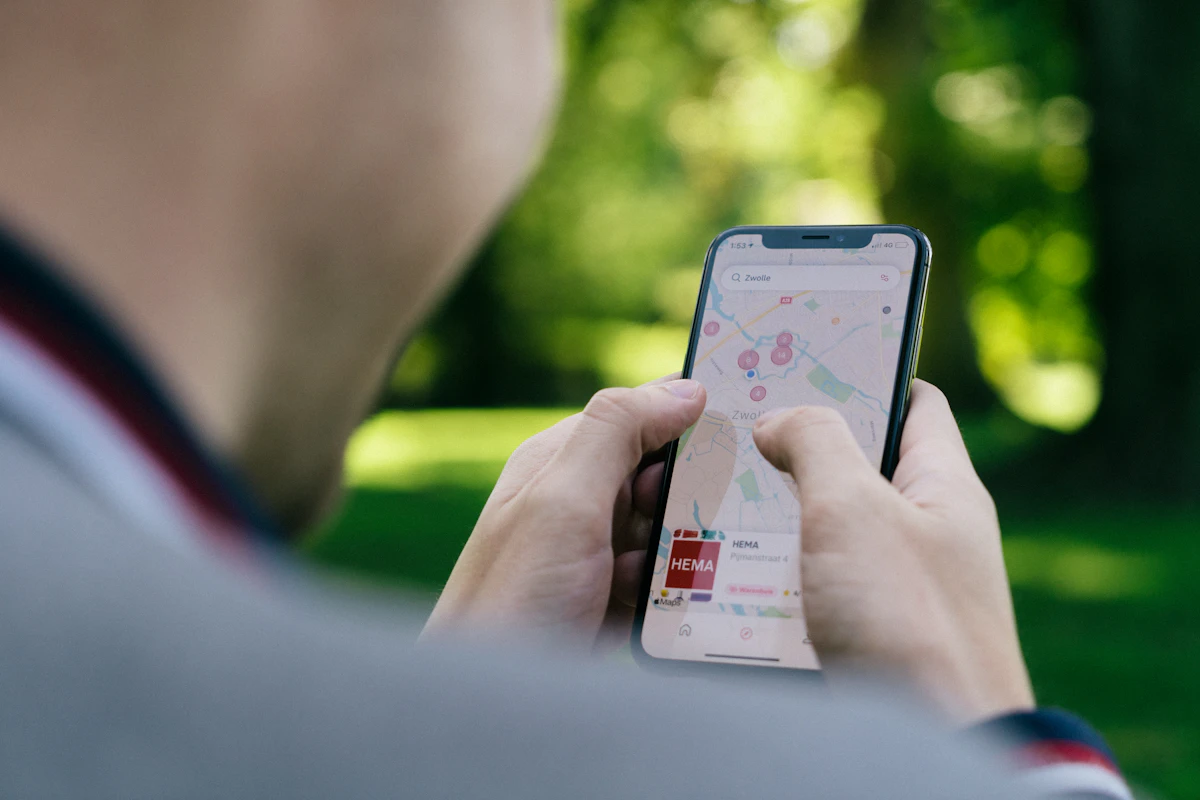
Decide whether sharing one connection works
8. Test the practical limits of a hotspot
Where the plan permits tethering and the devices support it, one phone can share a connection. Check combined data needs, battery life and what happens when the family splits up.
One connection might suit a group spending the day together. It is less useful if one adult returns to the accommodation while the others stay out.
Give another responsible adult access to essential addresses and documents. A saving that leaves everyone dependent on one flat phone is not a complete plan.
Download maps—but understand what works offline
9. Save the areas you will actually need
Before leaving, use trusted Wi-Fi to download offline map coverage in your mapping app. Include the airport, transfer route, accommodation, day trips and planned visits. Confirm the download has finished.
Google’s own offline-maps guide explains this route: open Google Maps, tap your profile picture, choose Offline maps, then Select your own map. Adjust the rectangle to cover your journey and download it over Wi-Fi. Check the options shown in your installed app; menus and availability can change.
Do not assume a saved city map covers an outlying airport. Zoom out and inspect the boundary before you rely on it.
10. Understand positioning without mobile data
A GPS-capable phone can determine its position from satellite signals without using mobile data. Suitable saved mapping and location permissions can help you see that position in context.
Apple’s location guidance explains how buildings and other obstructions can affect reception. Your position may take time to appear or be less accurate.
Seeing your location is different from getting directions for every kind of journey. Keep the accommodation’s written address separately.
11. Prepare for navigation limitations
Do not build your arrival around offline walking, cycling or public-transport route generation. Save those instructions separately. If using offline driving directions, make sure the full journey lies within the downloaded coverage and is supported by your app.
Without a working connection, do not expect current traffic, service cancellations or newly reported closures. Stored place information may be incomplete or outdated.
Save essential addresses for the accommodation, transfer stop and any pharmacy or supermarket you expect to need. Do not assume every business will remain searchable or that its opening hours are current.
Never use a driving route as a substitute for a safe walking route. Our airport transfer guide helps plan the final stretch.
12. Check update and expiry information
Open the app’s offline-map section shortly before departure. Check downloads are still available, boundaries are suitable, storage is sufficient and any update or expiry notice has been addressed.
Refresh maps over trusted Wi-Fi. You do not have to wait until you return home to update them.
Do not assume saved maps remain usable indefinitely. Equally, avoid relying on one fixed deletion timetable: check the current app’s display and instructions.
13. Test the backup at home
- Finish downloading the area.
- Switch off Wi-Fi and mobile data.
- Open the map and check the information available.
- Confirm essential addresses are accessible separately.
- Restore your normal connection settings afterwards.
This test shows what your actual phone can do. It is more useful than finding a missing download outside the terminal.
Save tickets and arrival instructions separately
14. Build an arrival folder
Use a format accepted by each supplier. An ordinary screenshot may not replace an app-based or changing ticket.
- The airline-required boarding pass.
- Transfer tickets in an accepted format.
- Accommodation confirmation and address.
- Contact details and key-collection instructions.
- The return-transfer arrangement.
Keep a small secure paper backup of addresses and contacts without unnecessary identity or payment information. Let another adult access the essentials.
If travelling with Ryanair, read its current requirements through our boarding-pass and check-in guide. If booking a package, our Jet2 versus DIY guide explains which confirmations to compare.
Preserve your allowance for useful things
15. Review background use and spending controls
Check photo backups, app downloads, video autoplay, streaming quality, background activity and hotspot connections. Download entertainment over trusted Wi-Fi beforehand where your subscriptions allow it.
Review the provider’s spending controls and alerts. Establish what they cover and whether usage reporting can be delayed. A phone’s data counter is not necessarily identical to the provider’s billing record.
If reviewing the household’s recurring costs, our subscription calculator and subscription review guide provide a starting point.
A practical phone checklist for the evening before departure
Once the tariff and data plan are settled, spend a few minutes checking the actual devices. A booking confirmation for a data package is not proof that every phone is ready.
16. Give each phone a clear job
Decide which adult holds the main booking, who has a backup copy and how family members will contact each other if separated. If children use phones, explain the agreed data settings and whether they should avoid changing them.
Check battery levels, chargers and the cables needed for each device. If using a power bank, follow the airline’s current battery carriage requirements. Keep essential documents accessible without putting all of them behind one person’s password or inbox.
Do not share more account access than necessary. A copy of the accommodation address and operator contact details may be sufficient for a backup, without giving everyone access to payment information.
17. Keep one small arrival worksheet
| Phone preparation | What to confirm |
|---|---|
| Mobile plan | Destination, allowance, charges and intended data line |
| Maps | Downloaded boundary and successful offline test |
| Tickets | Accepted format and access instructions |
| Accommodation | Full address, contact and key collection |
| Backup | Another adult’s access and secure paper essentials |
Save this where it opens easily. A document that requires an internet login every time may not be a useful offline backup.
18. Separate ordinary use from heavy use
Estimate the activities you actually plan. Messaging and checking a booking are different from several people streaming video or uploading holiday footage. Instead of guessing that one allowance will cover everything, check the provider’s usage guidance and your phone’s recent activity.
Where practical, download permitted entertainment before departure. Review automatic photo uploads and software downloads. Keep the settings suitable for your needs rather than turning off something important without understanding it.
If one child uses the shared connection heavily, that can affect the data available for navigation later. Agree the plan in advance so the person managing the hotspot is not discovering the problem at the transfer stop.
19. Check what happens when the package ends
Record the travel plan’s expiry and any top-up or renewal conditions. If it has automatic renewal, understand how to manage it. Do not assume a travel plan stops charging simply because the holiday has ended.
When you return, confirm the intended UK line is selected for normal use. Keep the travel-plan confirmation until charges are understood, and remove or disable the extra profile only in line with the provider’s instructions.
Finally, keep the preparation proportionate. If your existing tariff works, your maps are tested and your tickets are accessible, you may not need another purchase at all. The useful result is a connected family with a backup plan, rather than a collection of unnecessary travel subscriptions.
What I would do first
Check the current tariff before buying anything. Calculate the family cost, compare alternatives only where needed, select the intended data line, test the maps and save accepted tickets.
The aim is a usable arrival plan—not a folder of apps nobody has tested.
Need a clearer starting point for the holiday fund? My free 7-Day Financial Reset Kit helps you review spending and organise the household budget. Signing up also brings MoneySavvyUK emails; check the signup page for details.
For a reusable place to organise the numbers, my Bills & Renewal Dashboard is one of my own paid products. Browse the free calculators if you prefer to start with a free tool.
Frequently asked questions
Does my UK mobile plan include EU roaming?
Check the exact tariff, account and destination. Read the data allowance, charging triggers, included calls and texts, fair-use conditions and any travel-pass requirements. A provider’s general roaming page is a starting point, not confirmation that every customer has identical terms. Save the conditions relevant to your plan.
Is a travel eSIM always cheaper?
No. Your existing plan may already cover your needs without another charge. Compare total family costs, destination coverage, device compatibility, allowance and validity. A cheaper package is only useful if it works on the phone and provides the features the family needs, including any required hotspot use.
Can my phone show my position without mobile data?
A GPS-capable phone can use satellite positioning without mobile data, but reception and location permissions matter. Suitable saved mapping provides context for that position. Buildings and other obstructions can reduce reception. Seeing your location is not a promise that every navigation mode or live information service works offline.
Can I rely on offline maps for walking and public transport?
Do not make the arrival plan depend on offline route generation for those modes. Save walking instructions and transport details separately, check the app’s current supported features and test the downloaded area. Never substitute a driving route for a safe pedestrian route to the accommodation.
Should I turn data roaming off?
Check each mobile line separately. The UK line and a travel-data line may need different settings, and some travel plans require roaming on their own line. Follow the device and provider instructions, select the intended data line and review automatic switching rather than copying another traveller’s settings.
EU roaming for UK travellers: summary
- Confirm destination coverage and charges for each phone.
- Compare whole-family costs and compatible alternatives.
- Follow provider-specific SIM and roaming instructions.
- Test saved maps and retain separate walking and transport instructions.
- Check download updates, accepted tickets and a backup adult’s access.
Which part of holiday phone preparation do you usually leave until the last minute?
Continue planning your European holiday
- Cheap School Holiday Flights from the UK: Ryanair Fees & Packing Hacks
- Jet2 Holidays vs DIY: Which Actually Costs Less for Your Family?
- Cheap Airport Transfers in Europe: A UK Family Guide
Before departure, check our GHIC and travel insurance guide for healthcare-card limits, medical declarations and the cover behind your holiday bookings.
Planning the whole trip? Return to our cheap European holiday guide for UK families for the budget worksheet, planning timeline and all ten travel guides.
Sources, checks and author
O2’s published roaming information and the linked Apple eSIM, Dual SIM and location guidance were checked on 30 October 2026. Google’s linked official download guide was also checked. Test your installed app: this guide does not promise every offline feature or a fixed expiry period. No live mobile tariff ranking or eSIM offer is claimed.
By Dr Kalpana Govindaraasan, PhD scientist, former secondary science teacher and UK mum behind MoneySavvyUK.
I’m not a financial adviser. This is general information, not individual financial or legal advice. Check current booking and provider conditions. Read the financial disclaimer.
Featured photograph: henry perks / Unsplash. Images illustrate the topic and are not evidence of a particular quote, provider or journey.