

Disclosure: I use Hostinger for MoneySavvyUK. Hostinger links in this guide are ordinary editorial links. My own paid planners are mentioned below.
Last updated: 12 October 2026. Hosting offers can change; check your checkout total before paying.
Wondering how to start a blog UK readers will actually find useful? Start with one person, one problem and a budget you can afford before you start choosing colours or buying tools.
I run MoneySavvyUK on WordPress with Hostinger. That gives me a real reason to discuss the setup, but I won’t pretend a new blog will replace your wages next month.
This guide takes you from an idea to a sensible first-month plan. If money is tight, use our budget calculators before committing to hosting.

Quick answers for new UK bloggers
How do I start a blog and earn money in the UK?
Start by choosing a specific reader and a problem you can help them solve. Set an affordable budget, build a WordPress site and publish useful, original articles. Attract relevant visitors, then consider affiliate marketing, services, digital products or advertising. Income is uncertain, so keep essential household money separate from your blogging budget.
- Choose one reader and a clear topic.
- Compare hosting costs and build your site.
- Publish helpful articles and connect related posts.
- Bring readers from search, Pinterest or an existing audience.
- Test a suitable income route and track income after costs.
What do I need before starting a blog?
You need a clear topic, time to create useful content and a budget you can afford to lose. A self-hosted WordPress blog also needs hosting and a domain. Start with one maintained theme, essential pages and a few necessary plugins; draft your first articles before paying for optional tools.
How can a beginner blog make money?
A beginner blog can make money by offering a relevant service, selling an original digital product, using approved affiliate links or joining an advertising programme when eligible. Choose a route that matches the reader’s needs. Earnings depend on demand, traffic, conversion rates and costs; publishing a blog does not guarantee a payment.
How to start a blog UK: 12 practical steps
1. Decide what you need now
If you’ve lost your job, are on maternity leave or are exhausted by your working week, another income source can sound wonderful. A blog can become a useful business asset. It can also take considerable work and produce no income.
Separate your immediate need from your longer-term project. If you need money for next month’s bills, keep job hunting, benefits checks or paid client work on your list. Build the blog in the time and money left after those essentials. Our Amazon work-from-home jobs guide and transcription jobs guide explain other routes worth checking.
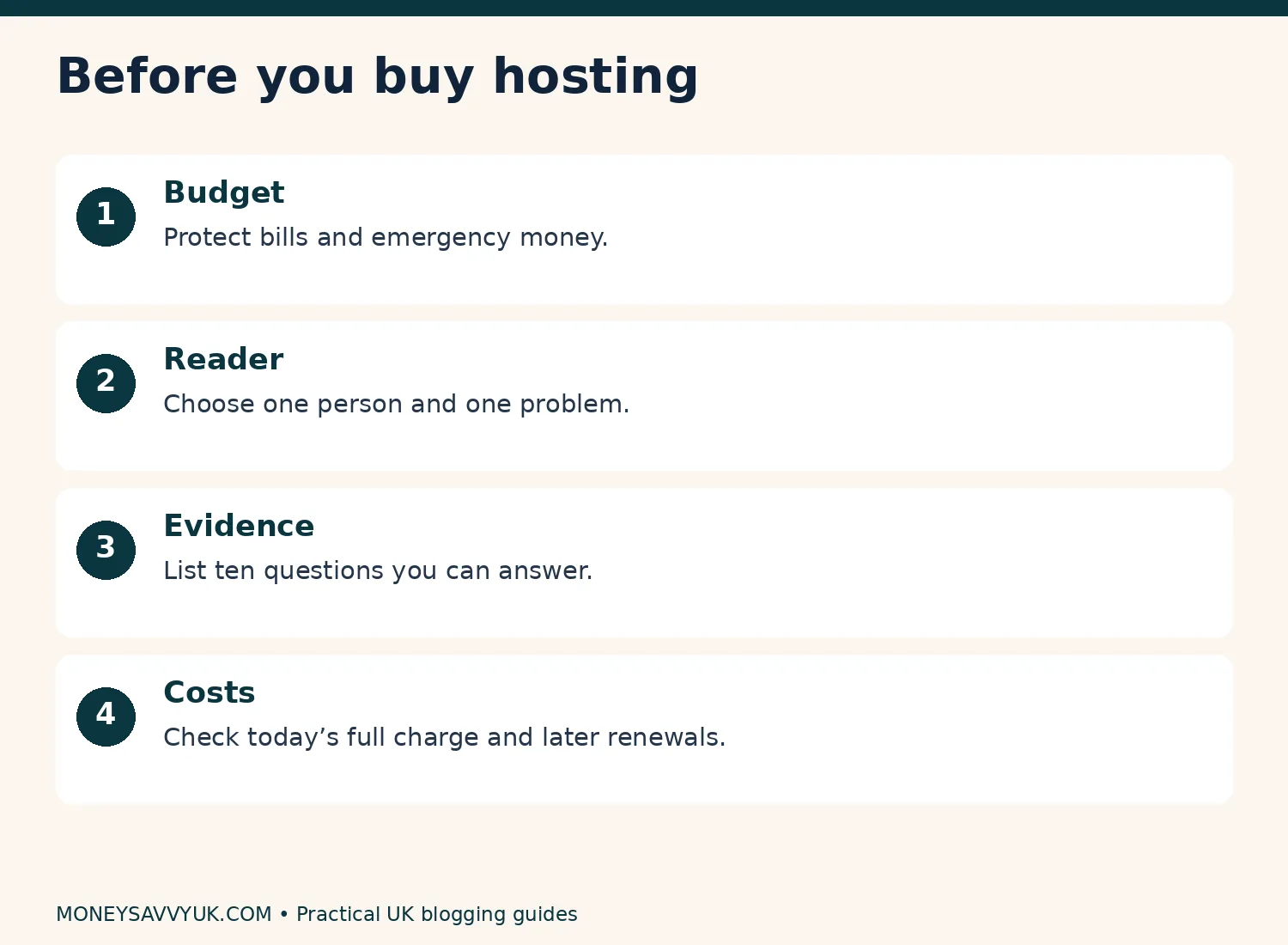
Set a loss limit before you buy anything. Write: “I can spend £___ without using bill money, and I can give this ___ hours a week.” If the affordable amount is zero, research your topic and draft articles in a free document first. Hosting can wait. Planning without a purchase is still progress.
If you’re receiving Universal Credit or maternity payments, check how business activity affects your particular situation. The income-tax trading allowance does not decide benefit reporting rules. Our maternity budgeting guide is a starting point, alongside the relevant GOV.UK guidance.
2. Choose a reader you understand
“Lifestyle” isn’t a useful answer to “Who is this for?” Try “UK renters trying to organise a tiny kitchen without drilling” or “parents preparing a nursery in a box room”. You can picture the person, the restrictions and the questions they will ask.
Write your promise in one sentence: “I help [reader] solve [problem] within [constraint].” Constraints might be money, space, time, mobility or a rented property. The constraint makes the advice specific.
You don’t need to turn every personal difficulty into public content. Share what you are comfortable sharing, and leave children’s names, school details and private family information out. A helpful article can explain a method without exposing your whole household.
Before committing, list ten questions you could answer responsibly. If your list stops at two, widen the topic slightly. If it includes holidays, skincare, mortgages and dog training, narrow it. Our 50 Amazon niche ideas gives you options to assess, rather than a promise that any niche is profitable.
3. Check demand before buying a domain
Type three of your questions into Google and Pinterest. Look at the language readers use and the kinds of results they receive. A question about fitting storage into a cupboard needs measurements and photographs; a question about an application deadline needs a verified source.
Open several competing pages. Record what each does well and what you still need to know after reading. A genuine gap might be UK dimensions, a rental-safe installation method, an explanation of ongoing costs, or a comparison of keeping what you own against buying something new.
An AI-generated keyword list is an idea list, not evidence of search volume or low competition. Check suggestions yourself. Don’t announce that a phrase receives thousands of searches unless you have a dated, credible measurement.
Build a simple sheet with question, reader, intended answer, evidence needed and possible product connection. Your first articles should have an answer you can substantiate, not just an appealing headline.
4. Pick a platform you can maintain
This cluster uses self-hosted WordPress: the free WordPress software installed on a paid hosting account. WordPress.com is a separate hosted service with its own plans. Downloading WordPress software does not give you free hosting.
Self-hosted WordPress gives you control over themes, plugins, content and hosting choices. That flexibility brings responsibility for updates, backups, privacy settings and troubleshooting. You can start without writing code, but there is still a learning curve.
Hostinger’s separate website-builder products and its AI assistance inside WordPress aren’t the same thing. If you want this tutorial’s WordPress dashboard, select WordPress during onboarding. An AI builder can suit some websites; it is inaccurate to say all builders are incapable of handling substantial sites.
Compare export options, portability, editing comfort and recurring costs before choosing. Don’t buy a VPS merely because it sounds more powerful. A beginner blog usually needs a maintained WordPress environment rather than server administration as an extra hobby.
5. Work out the amount leaving your bank
The monthly headline is often a monthly equivalent for a much longer prepaid term. Hostinger’s UK WordPress page checked on 11 October displayed Premium at £2.99 per month equivalent over 48 months, with £143.52 shown for that term and renewal at £10.99 per month. These are advertised amounts, not a personalised checkout quotation.
Keep the tax question visible. If £143.52 is an excluding-VAT subtotal and 20% UK VAT applies, the calculation is £143.52 × 1.20 = £172.22 after rounding. If tax is already included, do not add it again. Your checkout and invoice determine what you actually owe.
| Budget question | What to write down |
|---|---|
| Hosting today | Full term charge, applicable tax and optional extras |
| Hosting later | Renewal amount, renewal term and billing date |
| Domain | First-year eligibility and later renewal charge |
| Included period, mailbox limits and subsequent cost | |
| Other tools | Each subscription and its cancellation date |
A domain included for one year does not become free for four years because your hosting term lasts four years. Nor does four years of hosting cover every business expense. Compare a shorter term as well: it may cost more per month but tie up less cash.
Don’t label an October offer “the lowest Black Friday price” without evidence. See the official UK plans and our Hostinger WordPress setup guide for the practical buying checks.
The hosting refund window does not mean every purchase is risk-free. Hostinger’s refund policy has product-specific exclusions; bundled free domains and certain domain extensions have different treatment. Read the policy before paying. Turning off auto-renewal and requesting a refund are separate actions.
6. Choose a name with room to grow
Aim for something easy to say, spell and remember. Check that it doesn’t suggest an official connection with a brand or organisation. Avoid putting Amazon or another company’s trademark into your domain to imply endorsement.
A name such as “Small Space Family” leaves more room than “My Newborn Nappy Reviews”. You can be specific in the site’s promise while choosing a name that still fits your reader in two years.
Check domain availability, social handles and possible trademark conflicts. A free availability check doesn’t establish legal clearance. Before paying, confirm the spelling, extension, registrant details and renewal price.
Use an email account you control for the hosting account, with a strong unique password and available two-factor authentication. Save recovery details somewhere secure. Ownership of the account is more important than a perfect logo.
7. Build the smallest useful website
Install WordPress, choose one free theme and keep the standard block editor initially. Your first site needs readable text, working navigation and a clear purpose. It doesn’t need a rotating banner, animated statistics or five different fonts.
Start with Home, About, Contact and the privacy and disclosure information appropriate to your actual activities. Add a blog listing and two or three useful topic categories. Our UK blogging legal-pages guide explains what to check before copying a policy template.
Keep the menu short. A new visitor should know what you cover and find the next useful article without hunting. On your phone, check text size, link colour, menu controls and whether any banner covers the content.
The detailed technical guide includes WordPress installation, HTTPS, permalinks, drafts, images, backups and Search Console. Work through it with your actual screen. Don’t change settings because a tutorial shows a different dashboard from yours.
8. Plan ten articles with different jobs
Your first ten articles should form a useful resource for one reader. Try one broad guide, four specific problem-solving articles, two comparisons, one checklist, one honest test and one common-mistakes article. This is an editorial suggestion, not a Google or advertising-network requirement.
For a small-kitchen site, that could include measuring cupboards, choosing storage by dimension, avoiding unsafe adhesive installations and deciding whether decanting food is worthwhile. A “best jars” list is more helpful when the site also teaches readers what size they need.
Give each article one main question. A pillar explains the whole process and links to deeper answers. A supporting article answers a narrower question fully. Don’t publish five near-identical pages just by changing the year or swapping “best” for “top”.
Put the intended internal links in your plan before writing. Our Pinterest SEO guide shows why clear topic language matters; your links should also explain the next step a reader can take.
9. Write something that adds evidence
An article earns its place when it helps someone make a better decision. Explain the restriction, the method, the result and who should choose a different option. Include measurements, dates, sources or photographs where they genuinely help.
You can write from personal experience only when it happened. If you haven’t tested an item, say you are comparing published specifications. Never turn an AI example into “When I tried this…” or generate a fake dashboard screenshot as proof.
Use AI for organisation, questions, editing and spotting gaps. Supply your own notes and ask it to separate confirmed facts from claims needing verification. A useful prompt is: “Using only these notes, organise a beginner guide. Flag missing evidence. Do not invent experience, prices, results or sources.”
Before publishing, read the article aloud. Remove sentences that sound impressive but don’t help the reader act. Add the answer early, use descriptive headings and show where the information came from. Google’s guidance prioritises helpful content; it doesn’t prescribe an 80/20 human-to-AI formula.
10. Start one traffic routine you can keep
Search traffic takes work, and Pinterest traffic isn’t guaranteed either. Choose a manageable routine: publish one helpful article, create three distinct pins for it and review the results later. You can increase the pace after the process is comfortable.
Use relevant boards, accurate pin titles and a destination that fulfils the image’s promise. An attractive pin about five cupboard layouts should lead to those layouts, not a generic home page. Our Pinterest affiliate-marketing guide and making money on Pinterest guide provide more detail.
Measure outbound clicks and useful actions on your website. Impressions and saves are useful signals, but neither pays your bills automatically. If a pin receives clicks and visitors immediately leave, check whether the content matches the promise and works well on mobile.
Leave room for improvements to existing posts. Publishing more weak pages is not a reliable solution to poor results.
11. Choose income routes carefully
Affiliate marketing means earning from eligible referred purchases under a programme’s rules. Display ads mean earning from advertising activity. Services mean doing paid work for a client. Digital products mean selling something useful you have created. They have different approval rules, costs and responsibilities.
Start with the route your reader naturally needs. A storage guide might support an honest product comparison. A professional skills blog might lead to a service enquiry. A practical checklist might become a digital product after readers show they want it. Our Etsy selling guide and Etsy fees guide help you compare another sales channel.
Don’t apply to every affiliate programme on day one. Build original content and read the current programme terms first. Hostinger’s personal referral scheme is distinct from its commercial affiliate programme; a personal referral link isn’t automatically permitted on a business blog.
Track gross income, fees, refunds and expenses from the beginning. Our side-hustle tax guide explains the income-tax starting point without confusing it with profit or benefit reporting.
12. Set milestones you control
Replace “earn £500 by month three” with things you can do: complete the launch checks, publish ten original articles, create a first pin set, test your contact form and review the questions visitors ask.
After a month, ask what is getting easier and what is costing too much. After three months, examine impressions, clicks, email sign-ups and any confirmed income. A site with no sales needs investigation, not an invented success story.
Set a review date before spending more. You might continue, narrow the niche, offer a service or pause. You haven’t failed because a website didn’t replace a salary on a timetable supplied by a stranger.
Keep an emergency buffer separate from business experiments. Our first £1,000 buffer guide is relevant if a hosting payment would leave you exposed to a household surprise.
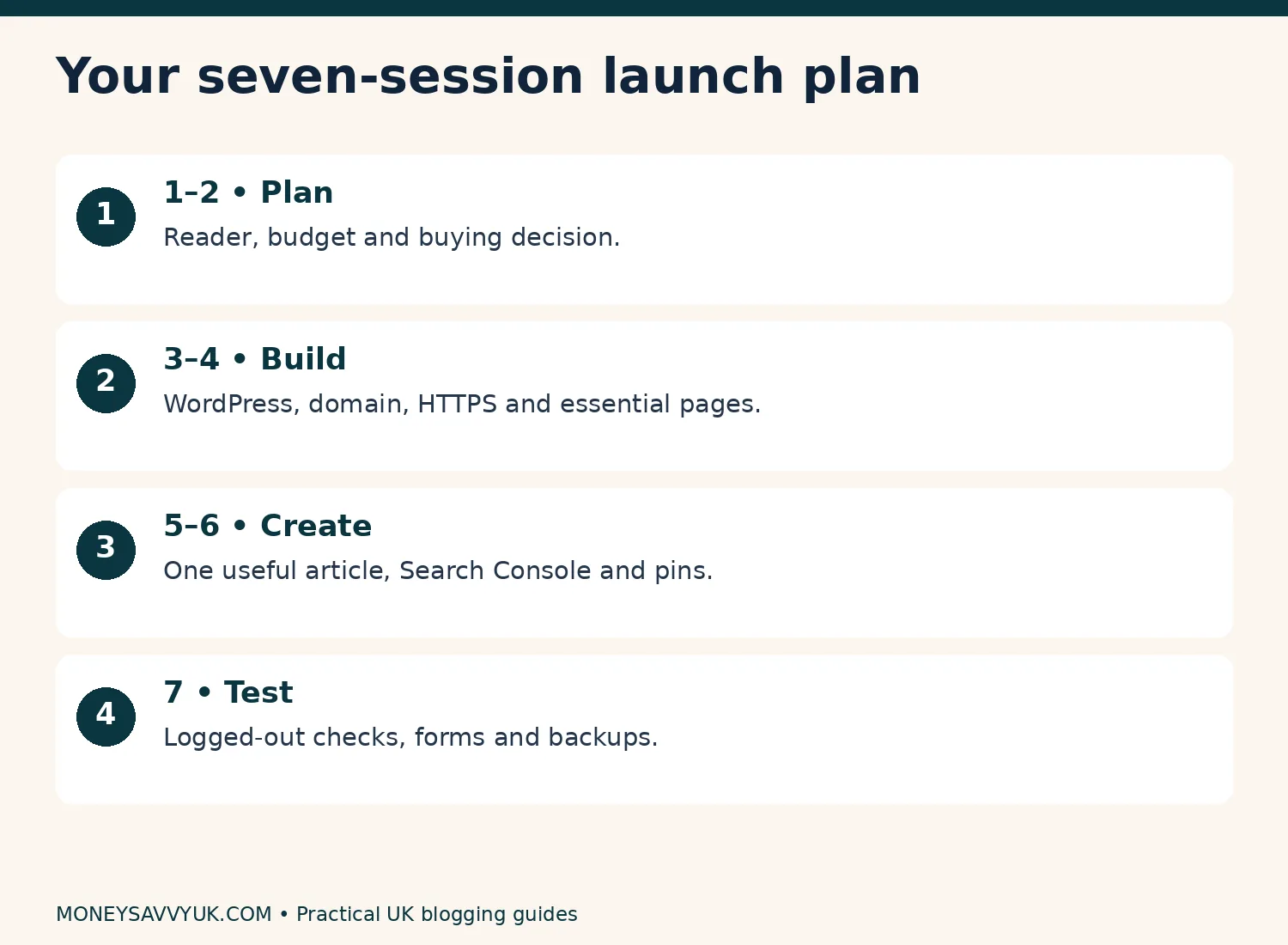
Plan the work in seven sessions; pause whenever you need to.
A seven-session launch plan you can pause
Treat these as work sessions, not a promise to finish in seven days. A session can be split into several short blocks. At the end, write down the next action so you can return without starting again.
- Reader and budget: write your site promise, ten reader questions and spending limit.
- Buying decision: compare total charges, renewal terms and domain eligibility. Purchase only if affordable.
- Technical foundation: install WordPress, connect the domain, confirm HTTPS and save login recovery details.
- Simple layout: choose a theme, create essential pages and test navigation on your phone.
- Content: finish one original article, check its sources and add relevant internal links.
- Discovery: verify Search Console, submit the correct sitemap and prepare your first pins.
- Launch check: test the website while logged out, test forms, confirm backups and write the next-month plan.
What I’d do first when money and time are tight
I’d protect the household budget, choose one problem I can answer responsibly and draft three useful articles before buying extras. Those drafts show whether I enjoy the work enough to keep going.
Next, I’d build a plain site and finish the technical checks. Only then would I spend time on a more polished logo or additional tools. A business that needs constant new purchases before it serves anyone deserves a pause.
If you want a calm way to review your starting budget, our free Financial Reset Kit helps you organise household money before adding business commitments.
Pin this guide for later.
How to start a blog UK: FAQs
Can I start a blog for free in the UK?
You can research, draft articles and use some hosted publishing
services for free. Self-hosted WordPress normally requires paid hosting
and a domain, even though its software is free. Compare restrictions,
ownership and later costs before choosing. A free starting point can be
sensible if you cannot afford hosting safely.How long does a new blog take to earn money?
There is no dependable timetable for a first payment or a sustainable
income. Results depend on useful content, traffic, reader intent,
programme acceptance and ongoing costs. Some blogs never become
profitable. Set milestones for work you control and review actual income
rather than budgeting for an assumed future payout.How many posts do I need before applying to Amazon?
Amazon’s UK application guidance gives at least ten original posts as
a useful rule of thumb, alongside other conditions. That isn’t a
guarantee of approval. Its review follows at least three qualifying
sales within the first 180 days, and personal orders don’t qualify. Read
the current application guidance before applying.Should I use WordPress or an AI website builder?
Choose according to editing needs, portability, integrations and
ongoing maintenance. This guide uses self-hosted WordPress because it
supports a flexible content site, but it brings responsibilities for
updates and backups. AI assistance inside WordPress is different from a
separate hosted builder. Confirm which product you are purchasing before
checkout.Can I blog while on maternity leave or receiving benefits?
Check the rules for your specific payment and employment situation
before starting business activity. Statutory Maternity Pay, Maternity
Allowance and Universal Credit have different rules. The income-tax
trading allowance does not settle those questions. Use official guidance
and ask the relevant service about reporting obligations if your
position is unclear.
How to start a blog UK: summary
- Choose a specific reader and a problem you can answer well.
- Compare the full payment, renewal costs and affordable alternatives.
- Build a simple WordPress site and test it before promotion.
- Publish evidence-based articles and create a manageable traffic routine.
- Review actual results before increasing spending or leaving paid work.
Which part feels most difficult at the moment: choosing a topic, setting up WordPress or writing that first useful article?
Sources and further reading
- Hostinger UK WordPress plans
- Hostinger referral restrictions
- Amazon UK application review
- Google guidance on AI content
- GOV.UK trading income allowance
- Universal Credit and self-employment
I’m not a financial adviser. This is general information; see the financial disclaimer.
About Dr Kalpana Govindaraasan
Dr Kalpana Govindaraasan is a UK mum, PhD materials chemist and former secondary science teacher who runs MoneySavvyUK. She shares practical ways to manage money and investigate income ideas, using official sources and clearly labelled examples.